01 / 05
Inventory
We pull a single snapshot of your current control panel: domains, mailboxes, databases, users, DNS zones. Read-only - nothing changes on your side.
Since 2014 we've moved sites, applications, and entire portfolios — from a single WordPress site to multi-server Laravel clusters. We handle at least 70% of the work. No downtime. No lost mail. Mostly you notice that things have got faster.


 Other
Other




 Other
Other
Pick your situation. We'll take it from there.

WordPress, Laravel, Craft CMS, or any other PHP project. We migrate it, you flip the DNS and check that everything looks right. That's how simple it can be.
Get started

Dozens or hundreds of client sites. We migrate them in batches, at your pace. Start with one site, then we tackle the rest as soon as you're ready.
Get started

Custom configs, high-availability and large databases. We plan it together.
Get started

Peak traffic, plenty of orders, no room for downtime. We migrate during a quiet window.
Get started

Multi-tenant, queues and workers, always on. We migrate without disturbing your customers.
Get started
Shift automatically copies the settings and data from your current server to Core.
We pull a single snapshot of your current control panel: domains, mailboxes, databases, users, DNS zones. Read-only - nothing changes on your side.
We turn the snapshot into a list of what to create on Core. We run the migration in dry-run first: any errors get caught before the real migration runs.
All settings (domains, databases, mail accounts, DNS, crons, etc.) are carried over. We keep as much the same as possible: often even mail passwords don't change.
All data (sites, databases, mailboxes, etc.) is copied over. If SSH access is available, we use rsync - the fastest option for copying data. Otherwise we fall back to FTP.
Before you change DNS, we test whether the site or application works on Core (for the technically minded: that it returns an 'HTTP 200'). All good? Then DNS flips. Immediately after, we create a Let's Encrypt certificate (if applicable).
Migrating everything at once? Here's what to expect.
We discuss your setup, the number of projects, and any special circumstances. You receive a proposal soon after.
You approve the proposal and we get to work.
Your server is set up. Time to inform your clients about the upcoming migration.
We migrate a batch of sites. You run the checks. Dates and times agreed in advance.
All sites are live on Core. Time to celebrate.
Assign a project owner for decisions and planning, a technical lead for the checks, and a point of contact for communication. Smaller team? One person takes on multiple roles - as long as it's clear who does what.
Who manages your DNS? Where do the records live? Do you have the credentials, or does a former colleague, or a client? It sounds trivial, until you're staring at a login screen at 23:00 and nobody knows the password.
Everything migrated? Don't cancel the old environment right away. If something does come up later, we still have access to the old configuration and data.
Which applications are live? What external dependencies exist? How are cronjobs, firewall rules, and caching configured? What has accumulated over the years that nobody documented? The more complete the picture upfront, the fewer surprises during the migration.
Resist the urge to combine a migration with major application updates. Both are complex enough on their own. Exception: database versions like MariaDB sometimes need to move to a more recent version as part of the migration, but those differences are usually small. Everything else can wait.
Migrate outside peak hours, test thoroughly before any DNS change, and plan carefully with everyone involved. When it goes well, people only notice that things got faster.
Why the switch? Will there be downtime? What changes? Have a short, honest answer for each. It should match existing agreements and contracts. People don't need you to justify the decision - they need to understand it.
Start communicating well before the technical work begins. Two to three updates is usually the right balance - enough to keep people informed, not so many that they stop reading.
Some clients have to do things on their end - update DNS, change settings, brief their team. Tell them what's needed and give them the time. Surprise migrations don't make friends; good, timely communication does. Better still: it strengthens client relationships.
Faster load times, stronger security, features that weren't there before - that's the story. Tell your clients. A migration presented as an investment, rather than a hassle, is also a logical moment to revisit your terms and pricing.
Want to let your customers understand the advantages? Share our hosted-by page →
Pick what suits you best.
Tell us what to migrate and we'll get started.

 We handle at least 70% of the workTested before DNS switchNo commitment
About migration, timing, complexity. Anything.
Direct reply from an engineerNo commitment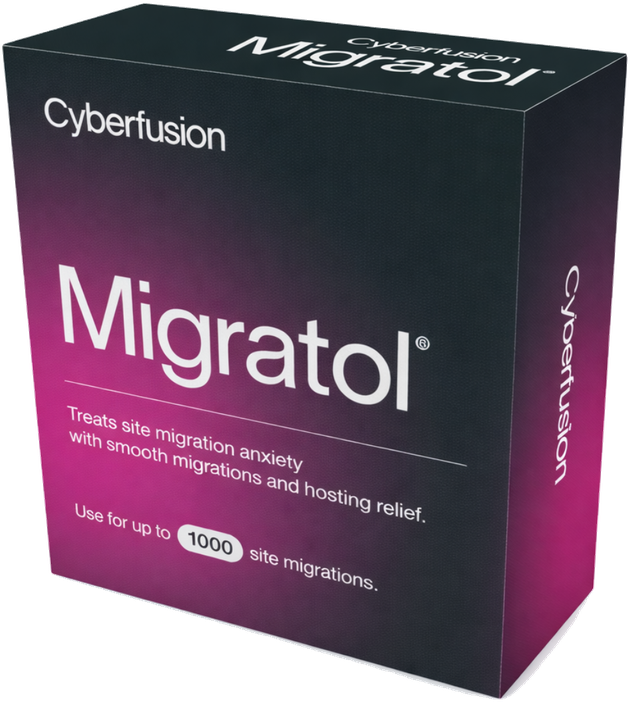
Desperately want better hosting, but something's holding you back? Request Migratol for free: clinically unproven help for migration anxiety. Possible side effects: higher uptime, better performance, weekend outages that vanish, and the sudden urge to migrate all your other projects too.